Stop leaking data to AI. Govern the unseen.
One control layer for all the AI in your company: find shadow AI, stop sensitive data leaking to AI tools, give every employee Secure AI Chat, and govern the apps and agents that call AI. Works with the security stack you already run.
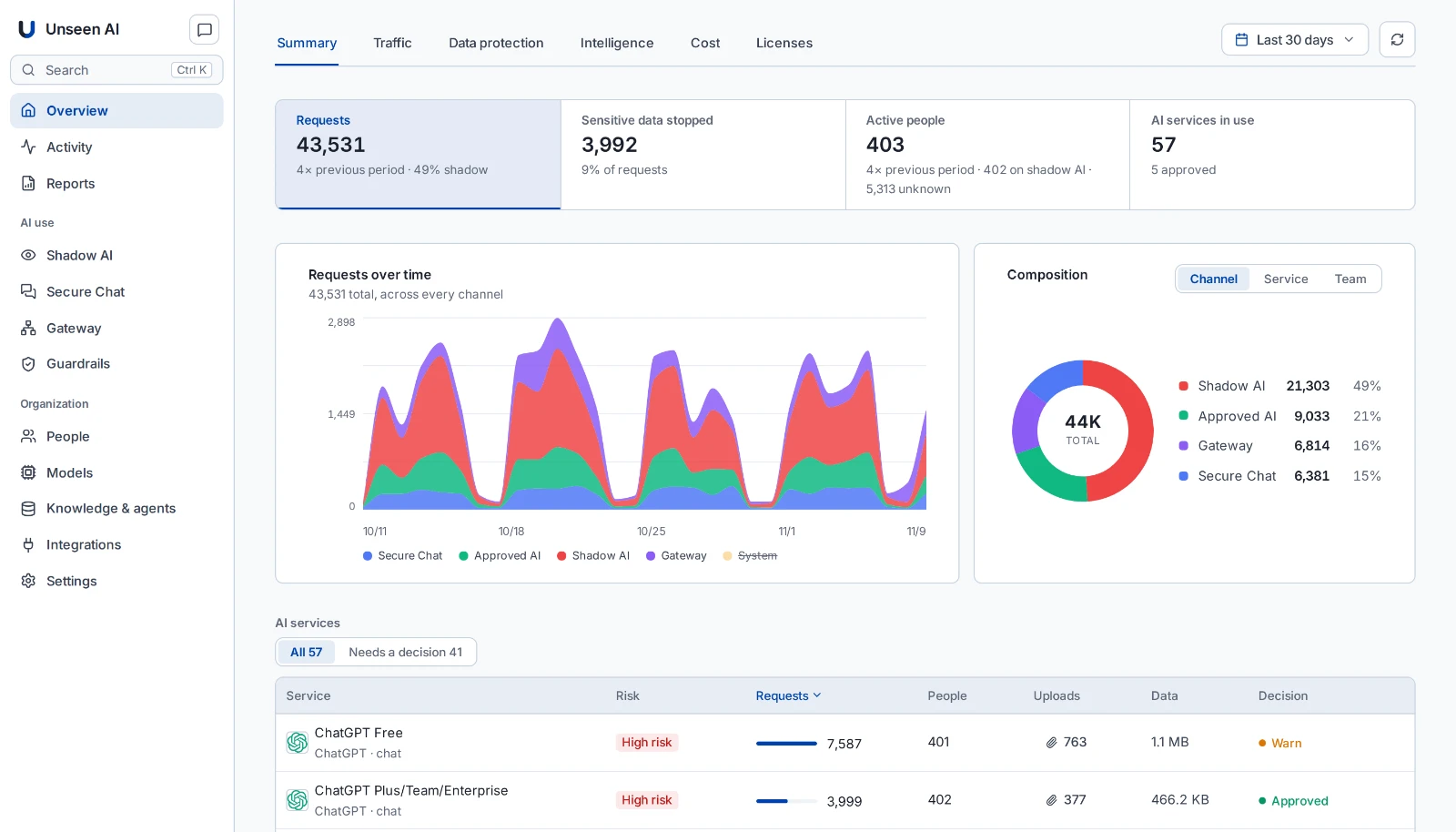










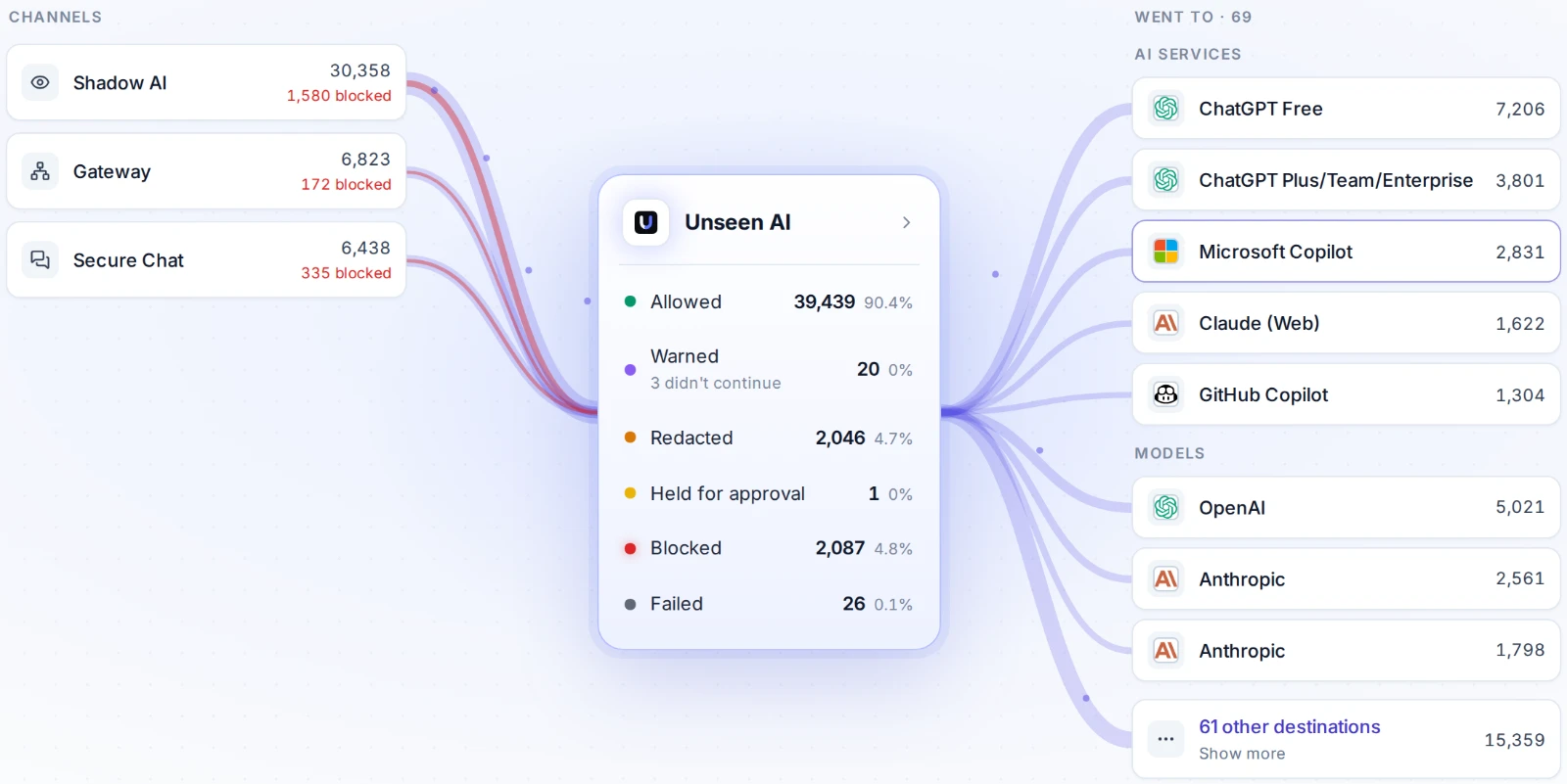
One platform, three surfaces
AI shows up three ways: the tools people bring, the tools you approve, and the programs that call it on their own. Unseen governs all three.
See every AI tool in use, and what leaves with each prompt.
Content-level visibility on every prompt your team sends, from the tools you approved and the ones you did not know about.
- Every AI app, user, and prompt in one view
- Risk scoring per tool and per data type
- Redact, block, or redirect by policy
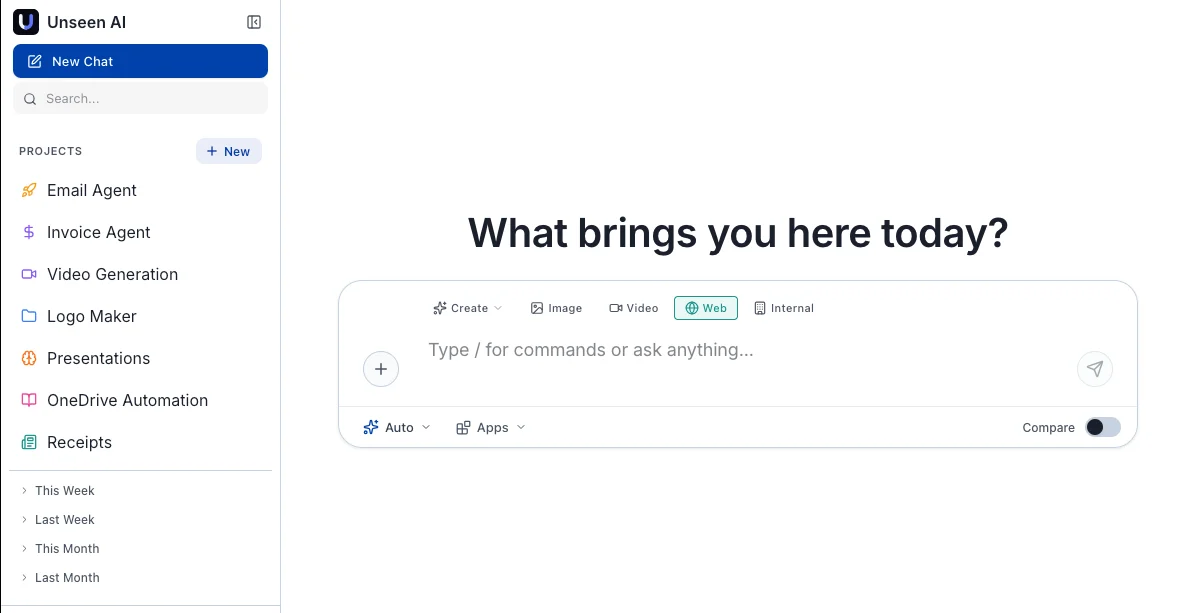
A private workspace with every model in it.
The alternative you redirect people to. GPT, Claude, and Gemini in one interface, with projects, agents, and your own knowledge attached.
- Switch models per conversation
- Projects, agents, and connected sources like SharePoint and OneDrive
- Models reached through API access that excludes training
One endpoint for every programmatic call.
Point any app or agent at an OpenAI-compatible endpoint and every request is budgeted, cached, guarded, and logged.
- Drop-in replacement: change the base URL, keep your SDK
- Virtual keys bound to an app, team, or agent, each with its own budget
- Guardrails and a record of every call
# point any app or agent at Unseenimport osfrom openai import OpenAIclient = OpenAI(base_url=os.environ["UNSEEN_GATEWAY_URL"], # the only changeapi_key=os.environ["UNSEEN_KEY"], # one key per app or agent)reply = client.chat.completions.create(model="gpt-5.4-mini",messages=[{"role": "user", "content": "Summarise this ticket"}],)# budgets, guardrails and a record on every call
Test your agents before an attacker does.
Automated attacks on your agents and AI apps: prompt injection, jailbreaks, data exfiltration, and guardrail bypasses.
Works with the security stack you already run. No agent on each device. 30 minutes.
See every AI tool and shadow AI app people use, with usage and risk per tool.
Warn, redirect or block per service, and send people to Secure AI Chat instead of a dead end.
Why not just block AI?
Because blocking doesn't work. Employees find workarounds. You lose visibility entirely.
Block it
- Block AI tools with firewall rules
- People switch to personal devices and phones
- Zero visibility into what is actually happening
- Data leaks through channels you cannot see
- Innovation stalls, and talent gets frustrated
Govern it
- Redirect people to a secure, private AI workspace
- Every model in one governed interface
- Full visibility into every AI tool in use
- Sensitive data removed before it reaches an AI tool
- People stay productive, and you stay in control
“We were blocking generative AI at our SASE. Unseen integrated into our ecosystem and let us adopt AI safely, with visibility and control, without leaking company data.”
Your data stays under your control.
Supports your evidence for GDPR, the EU AI Act, DORA and NIS2.
Runs in your environment
The whole platform runs on infrastructure you control.
Your keys, your providers
You choose the AI providers, on your own accounts.
You decide what is stored
From full records to metadata only.
Four-eyes on prompts
Privacy-sensitive changes need a second admin’s approval.
Embrace your ecosystem with 50+ integrations
AI models, security tools and the apps your people work in. Plugs into your existing security stack in 30 minutes.









What customers say
Questions
What is shadow AI?
Shadow AI is AI used at work without IT knowing or approving it: free chatbots, browser extensions and AI features inside other apps. The risk is company data going to services that keep it, train on it or store it outside your control. What is shadow AI →
Why not just block AI tools?
Blocking pushes people to phones and personal accounts, where you see nothing. Unseen shows what is used, warns, redirects or blocks per service, and gives people an approved alternative in Secure AI Chat. Redirect, don’t block →
Does Unseen work with our SASE or firewall?
Yes. Unseen works with the security stack you already run, with no agent on each device. Customers keep their SASE and add Unseen alongside it. Integrations →
Where does Unseen run?
In your own environment: VMware, Nutanix, AWS, Azure or Google Cloud. You choose the AI providers, on your own accounts, and decide what is stored. Data sovereignty →
How long does it take to get started?
Live in 30 minutes. The free Shadow AI Assessment runs for four weeks and ends with a report on every AI tool your people used. Free Shadow AI Assessment →
Shadow AI is happening at your company right now.
Live in 30 minutes. After four weeks of the free assessment, you get a report on every AI tool your people used.